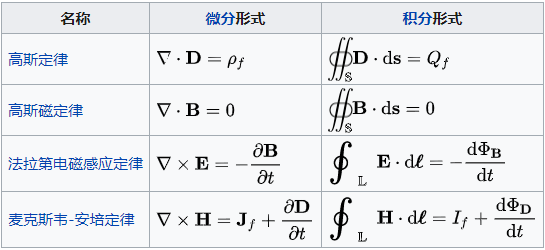
Hexo中插入数学公式时会出现显示问题,这里借用mathjax插件和writage工具来实现hexo中插入数学公式。
首先,安装hexo-math
1
| npm install hexo-math --save
|
在站点配置文件下添加:
1
2
3
| math:
engine: 'mathjax'
mathjax:
|
在主题配置文件下修改:
1
2
3
4
5
6
7
| math:
enable: true
engine: mathjax
mathjax:
enable: true
cdn: //cdn.jsdelivr.net/npm/mathjax@2/MathJax.js?config=TeX-AMS-MML_HTMLorMML
|
其中 per_page 根据提示,表示默认不加载 mathjax/katex 脚本,如果设置为 false,则是每篇文章都会去加载 mathjax 脚本,这里我设置为 true,然后在需要加载的文章抬头添加 mathjax: true 。
公式可以通过Latex语法规则编辑,同时也可以通过Writage插件,将Word中编辑好的公式,转化成markdown格式后使用。
参考: hexo中插入数学公式
writage官网